Start new applications for their linked associations
Track the status of their in-progress applications
View past lodgements and download receipts
Most applications include several sections and pages. You must enter all required information, review it, upload supporting documents (if required), and make any required declarations. The submit button will only appear once these steps are complete.
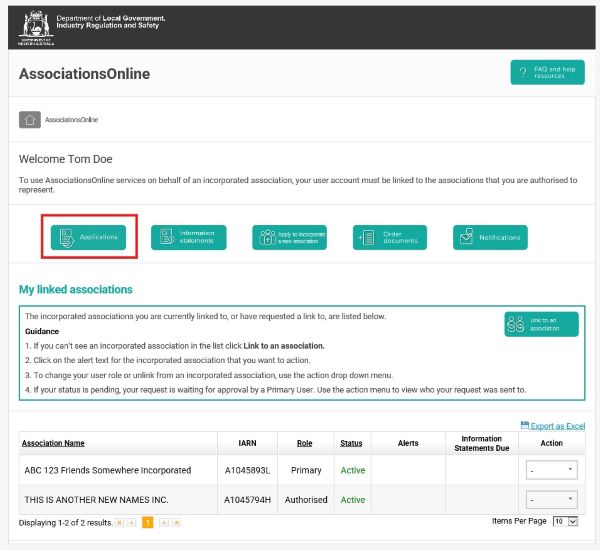
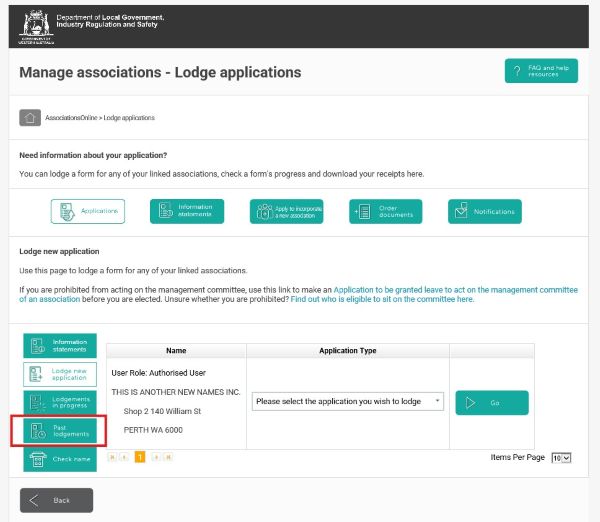
Login to AssociationsOnline. From your homepage, click Applications in the top navigation bar.
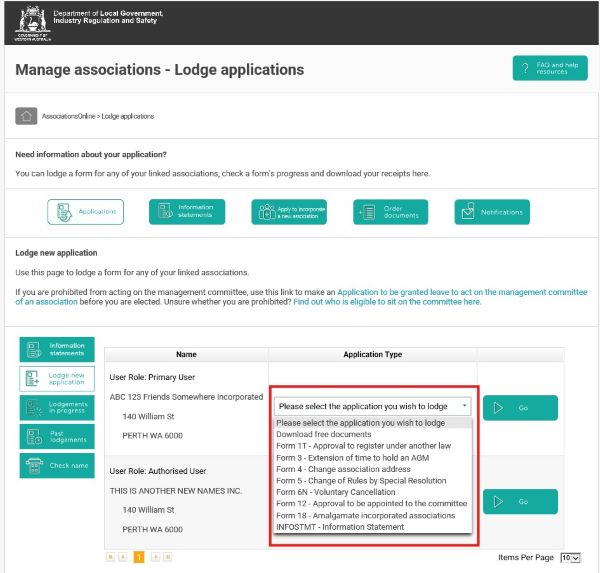
Find the association you want to lodge an application for, click the Application Type dropdown next to the association name to view a list of forms you can select from.
Select the application you need, then click Go to open its Before you begin page.
The Before you begin page includes instructions and information you need to complete the form.
To start entering the form's information, click Go.
Note: From this point onwards, refer to the guide for the form you are for information about preparing and lodging the form.
From your homepage, click Applications in the top navigation bar.
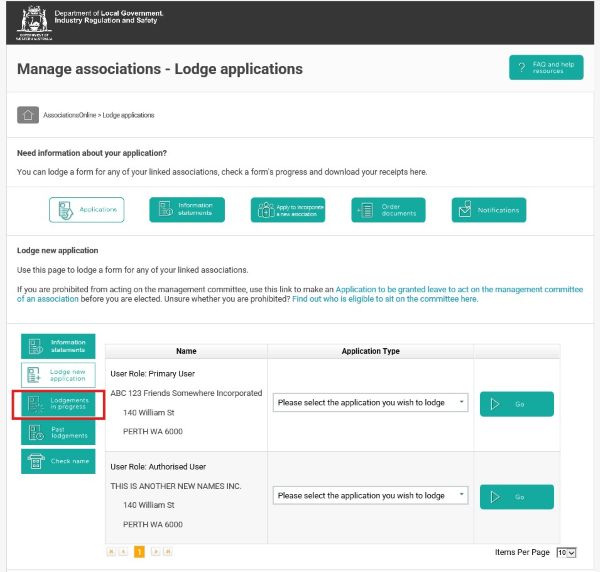
On the left-hand menu, click the Lodgements in Progress to view a list of forms you have saved or submitted and their statuses.
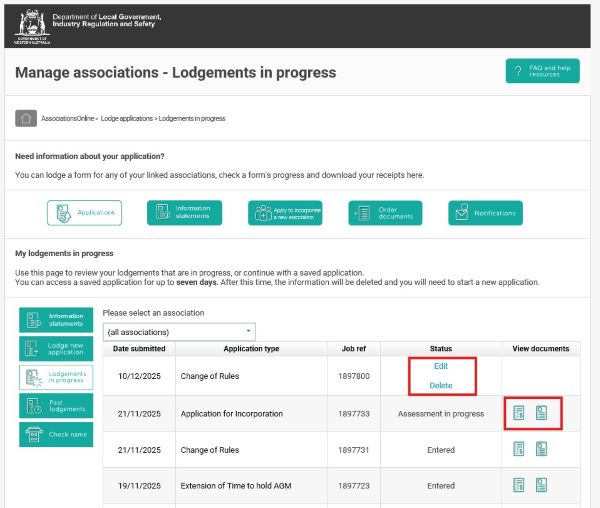
A list of the applications that you have started, or submitted will be displayed with their application type, job reference and its status. This is what the different statuses mean:
Edit or Delete: A draft form that a user is working on that is not yet submitted. It can be resumed by clicking on edit or deleted.
Entered: A form that a user has submitted which cannot be amended. Click the document or receipt icon to download copies.
Assessment in progress: A submitted form that has been received and is currently being reviewed.
Click Edit to start the saved application or click Delete to delete it.
Note: If you wish to withdraw a form that has an Entered or Assessment In progress status, you need to contact Consumer Protection to request this. In your request, you should include the reason(s) you are requesting the withdrawal (e.g. the form is incorrect) and your contact details.
From your homepage, click Applications in the top navigation bar.
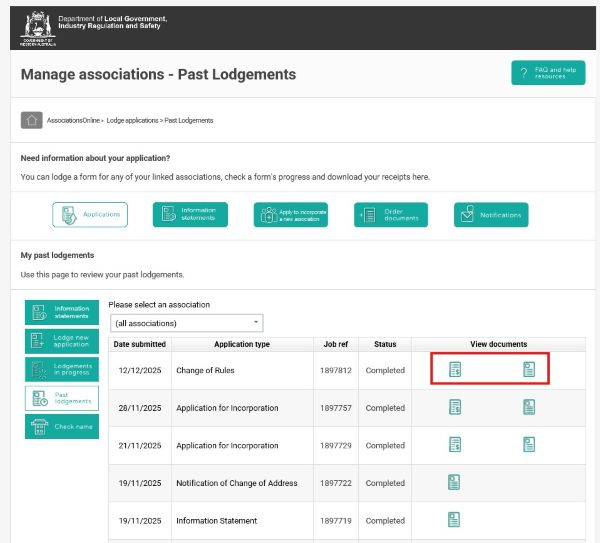
on the left-hand menu, click the Past lodgements to take you to a list of all forms you have submitted that have been processed.
A list of the applications that you submitted which have been processed will be displayed with their application type, job reference and status.
This is what the different statuses mean:
Completed: A submitted form that has been accepted as lodged.
Exempt: A form that does not require payment or assessment.
Note: Not all statuses apply to all transactions.
Clicking an icon under view documents will download a copy of the application form or receipt (if payment was received).